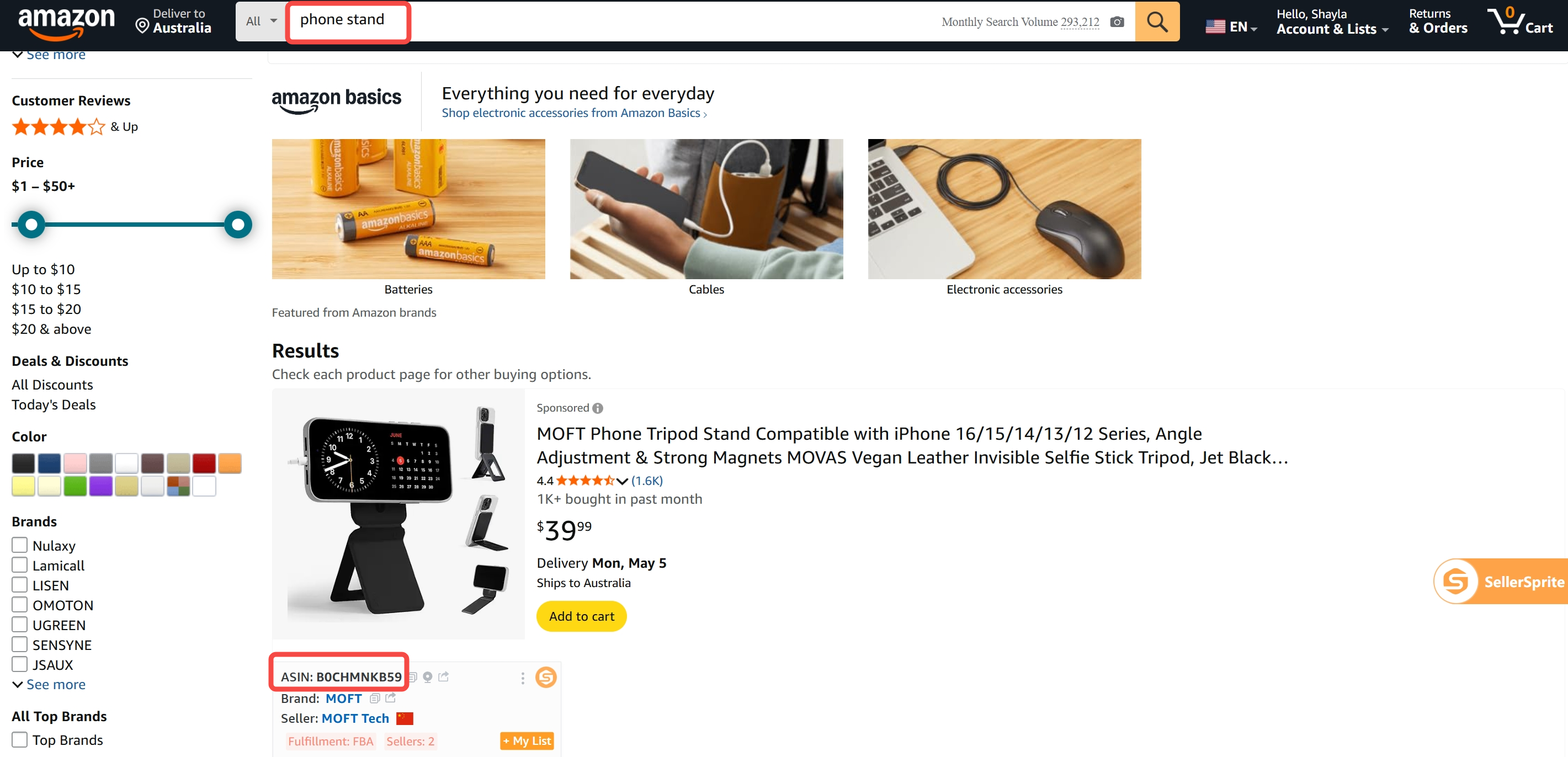
This tool identifies traffic-driving keywords for a given ASIN — i.e., keywords that recently brought exposure to the product on Amazon.
It detects all search terms that caused the ASIN to appear within the first 3 pages of Amazon's search results over the past 30 days. If your ASIN shows up — either organically or through sponsored placement — the system captures the keyword used in the customer’s search and includes it in the results.
If a buyer searches for 'phone stand' and ASIN B0CHMNKB59 appears as a sponsored ad on page 1, then 'phone stand' is recorded as a traffic-driving keyword for that ASIN — even if you didn’t directly bid on it.
In Amazon Ads, sellers typically set bidding keywords manually, e.g.: laundry room rug runner (broad match)
But because broad and phrase matches allow for variations, the actual customer search term might be: 2ft x 5ft runner rug laundry room
As long as the ad for your ASIN is triggered by that search, and it appears in the top 3 pages, the customer search term (2ft x 5ft runner rug laundry room) is what gets logged in SellerSprite's Reverse ASIN results — not the original bid keyword you entered in Seller Central.